
MC² for Windows.
The same launcher as on Mac, on one shared engine: full control over every pack, plus one-click server hosting, pack sync with friends and capes seen in game. Free, and in beta.
v0.23.6 Windows 10 or 11, 64-bit Installer, about 150 MB
Three steps, one warning.
The beta isn't code-signed yet, so Windows SmartScreen may stop it the first time. That's the only extra step.
Open MC2-Setup
The installer the button above downloads.
More info, then Run anyway
If Windows says it protected your PC. MC² installs for your user, with no administrator password, and opens when it's done.
Sign in and play
With the Microsoft account that owns Minecraft: Java Edition. Packs from other launchers come over with Bring It Over.
Every screen, matched to the Mac.
One engine runs both, so a pack, a server or a friend list works the same on either. Sending a pack from a Mac to a PC is the same as Mac to Mac.
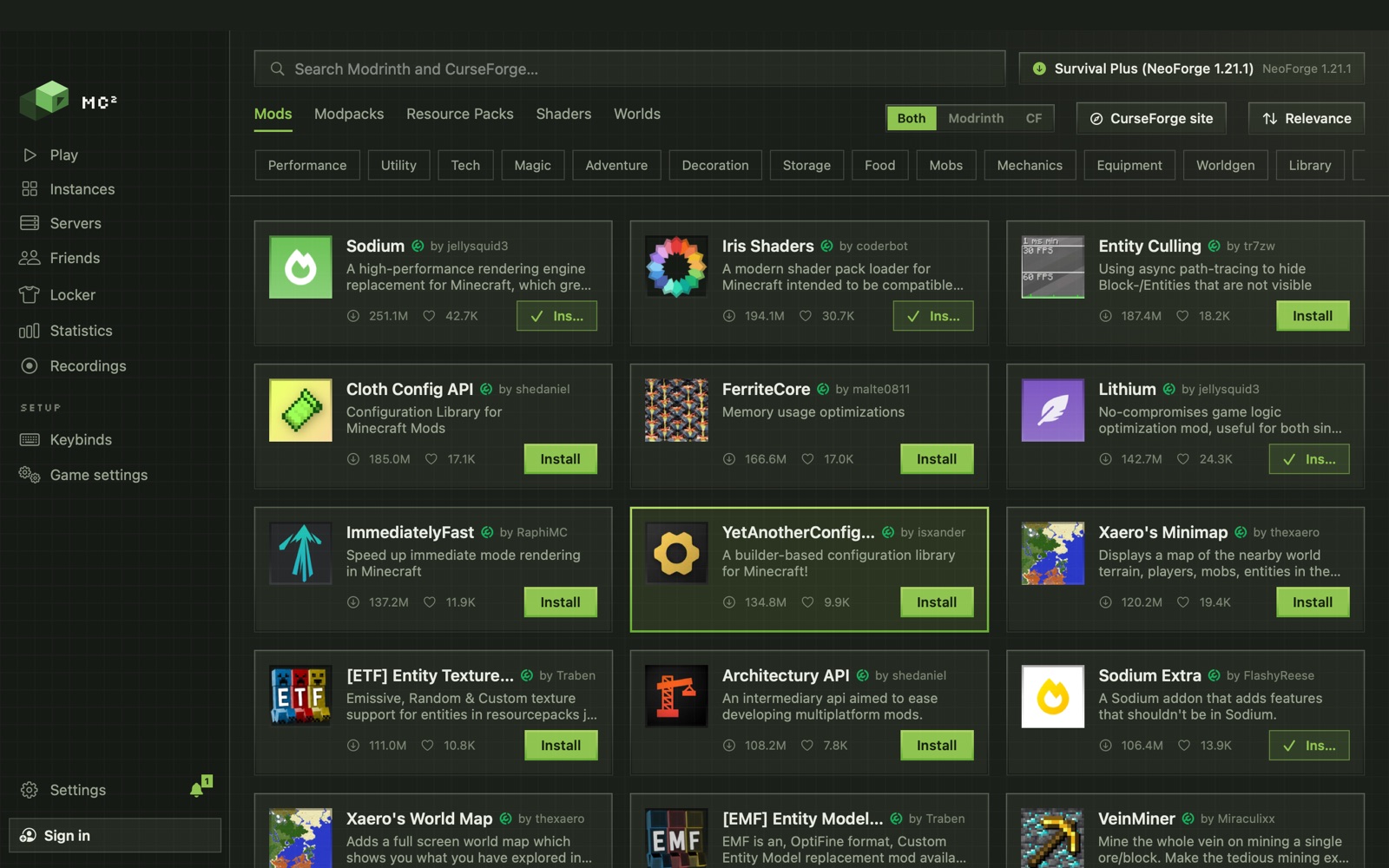
Mods
Modrinth and CurseForge in one search. Fabric, Quilt, Forge and NeoForge, with dependencies installed for you.
Sharing and sync
Send a pack with a link or to a friend, and keep it in sync.
Server hosting
Turn a pack into a server on your own PC, with port forwarding and a playit.gg tunnel when the router won't.
Friends and chat
Presence, one-to-one chat, and notifications for messages, packs and friend requests.
Keybinds, capes, the Locker
One keybind profile for every pack, animated capes, pets and cosmetics earned by playing.
Recording
Built-in recording and a clip buffer with Windows' own capture. MP4 rather than the Mac's ProRes.
Beta now. Signed next.
- Done
One engine with the Mac app
Installs and launches Minecraft, vanilla and modded.
- Done
Every screen matched to the Mac
Sharing, keybinds, capes, one-click self hosting, friends and chat.
- Done
Installer and updates
Updates install themselves.
- Now
Beta
Out now. Tell us what breaks.
- The goal
Public release
Code-signed, and out of beta.
Before you download.
Is MC² for Windows finished?
It is in beta. It shares its engine with the Mac app and has the same screens, but it has had far less testing. Tell us what breaks on Discord or GitHub.
Which versions of Windows does it run on?
Windows 10 or 11, 64-bit.
Why does Windows say it protected my PC?
The beta installer isn't code-signed yet, so SmartScreen doesn't know it. Click More info, then Run anyway.
Does it need an administrator password?
No. MC² installs for your user only and opens when it's done.
How do updates work on Windows?
The same as on Mac: updates install themselves from the same release.
Do I still need to buy Minecraft?
Yes. You need Minecraft: Java Edition on your Microsoft account. MC² is a Java Edition launcher.