
Every mod, both stores, one place.
Search Modrinth and CurseForge together, install into any pack with its dependencies, update with a snapshot to roll back to, and find the mod that crashes. On Mac, and in the Windows beta.
Modrinth plus CurseForge.
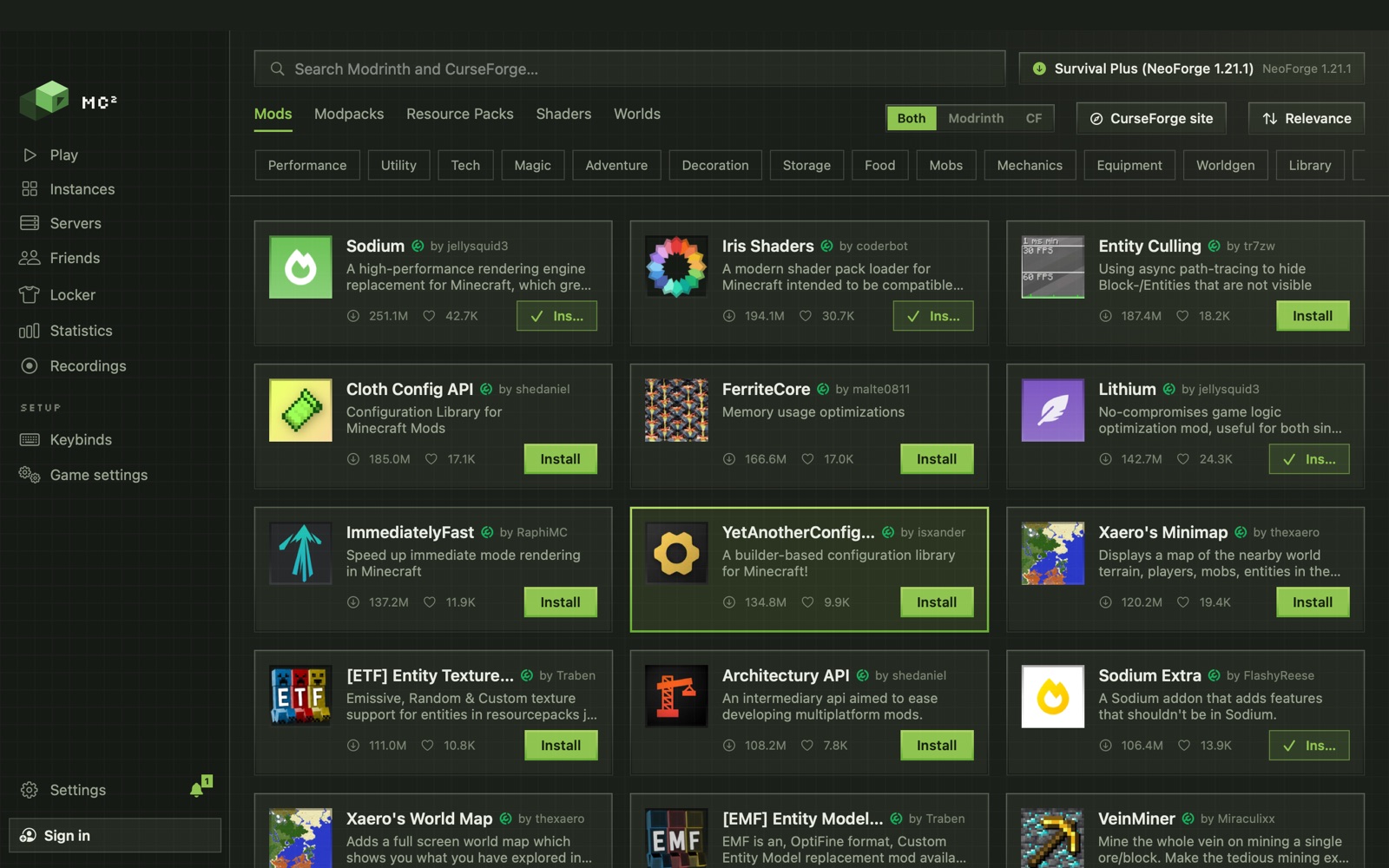
One search over both stores: mods, modpacks, resource packs, shaders and worlds. A project on both shows once.
Dependencies, handled
Required dependencies install with the mod.
Into any pack
Choose the pack at the top right and Install puts it there. What a pack already has shows as installed.
CurseForge's own site, inside
For what the API can't fetch: CurseForge opens in MC², and a download lands straight in the pack.
See it, switch it, keep it healthy.
On, off, gone
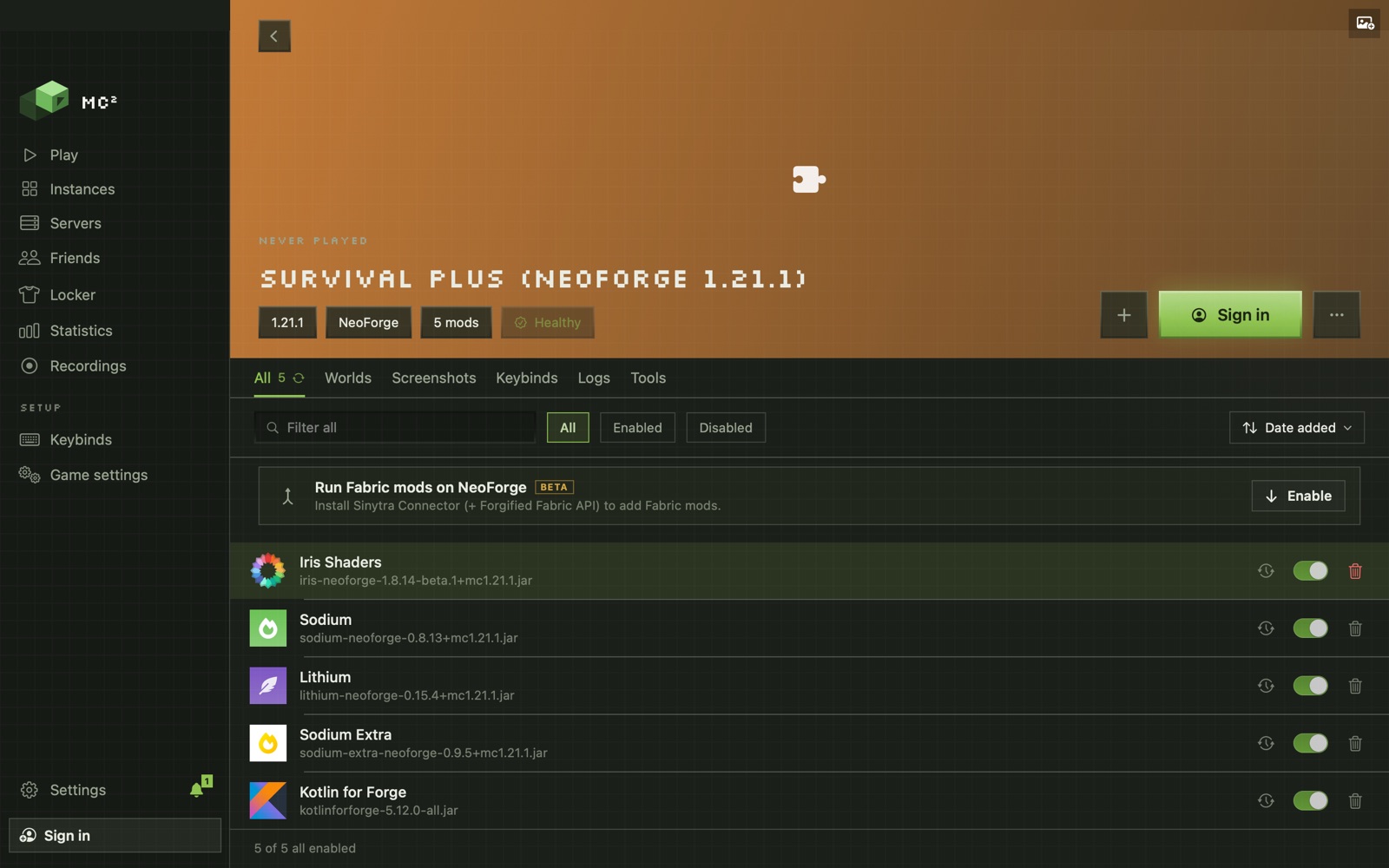
Every mod has a switch and a delete button. Filter, sort, and drop a .jar, .zip or .mrpack on the pack to add it.
Health check
Missing dependencies and known conflicts show on a chip, each with its fix: Install, Enable, Disable, Remove or Keep newest.
Config editor
TOML, properties and JSON, edited in MC², with the file's own format kept.
Stored once
A mod used by ten packs is downloaded once and takes the space of one. Storage shows it and reclaims the rest.
Fabric mods on NeoForge
A beta switch installs Sinytra Connector so a NeoForge pack can run Fabric mods.
Every loader
Fabric, Quilt, Forge, NeoForge and Legacy Fabric, with the right Java per version.
Update all, without the fear.
Update all
MC² takes a snapshot of the pack first: content, configs and options.
Play
The new builds are in. Something off? The snapshot is in History and backups.
Roll back
One click puts the pack back as it was.
New Minecraft version
Move a pack to a new release: each mod's build for it comes in, mods that aren't ready are parked, and they come back when their builds arrive.
Another loader
Move to another loader makes a copy of the pack with each mod's build for the new loader.
Find the mod. Don't guess.
Crash Doctor
Reads the crash and names what it found, with one-click fixes you can undo.
Culprit Finder
Splits the pack and runs up to six copies of the game at once until it finds the mod that crashes. Your pack isn't touched.
Before you download.
Does MC² use Modrinth or CurseForge?
Both, in one search. A project published on both shows once, and a switch lets you search Both, only Modrinth or only CurseForge. CurseForge's own site also opens inside MC², and downloads from it land in the pack.
Which mod loaders does MC² support?
Fabric, Quilt, Forge, NeoForge and Legacy Fabric, on every Minecraft release, with snapshots and old alpha and beta versions behind a switch.
Can I undo a mod update?
Yes. Update all takes a snapshot of the pack first, and History and backups rolls content, configs and options back to it.
How do I find which mod crashes my pack?
Run the Culprit Finder. It splits the pack and launches up to six copies of the game at once until it finds the mod that crashes, without touching your pack.
Can I move a pack to a newer Minecraft version?
Yes. MC² finds each mod's build for the new version, parks the ones that aren't ready, and puts them back when their builds arrive.